
Below you find a video and written guide on how to copy journals between periods
In Konsolidator it is possible to copy journals from the previous month to the current month.
In this example, we are in March 2021 and want to copy a journal from February 2021. Click on the button Copy Journal. 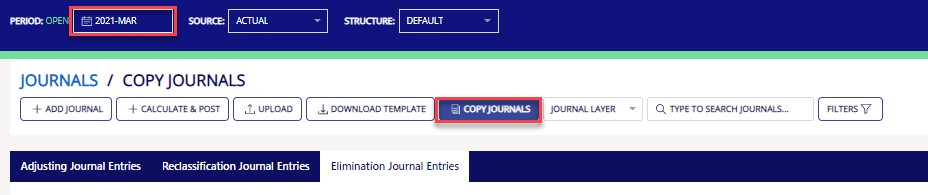
A new window will open on the right side of the screen. In this example, we want to copy journals from February into March. Hereafter you click search. Now the overview contains all journals from February.
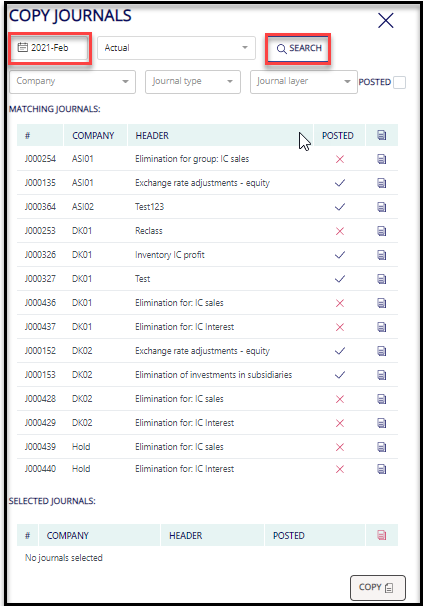
After identifying the journal(s) that need to be copied from February to March you click on the small paper icon highlighted in the red box. Hereafter the journals appear in the section for Selected journals. Click on the button Copy
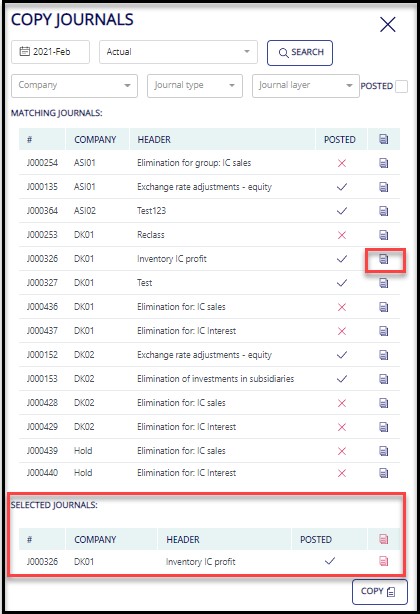
Now the selected journals appear in the overview for March.