
Custom Views lets you save the filters you use in a report, so you can load the same view again the next time you need it. This is useful if you often work with the same dimensions, tags, or other search criteria.
Important to note:
Custom Views are saved per user, not per company. This means your saved views are only available to you. Other users will not automatically see or use your saved views.
How to save a view
- Open the relevant report view e.g. intercompany.
- Apply the filters you want to reuse.
- Click on the button “default view” next to the LIST / TREE toggle and select Save current view.
- Name the view so it is easy for you to recognize later.
- Save the view
NOTE: You can save multiple views with different combinations to easily switch between different filtering scenarios.
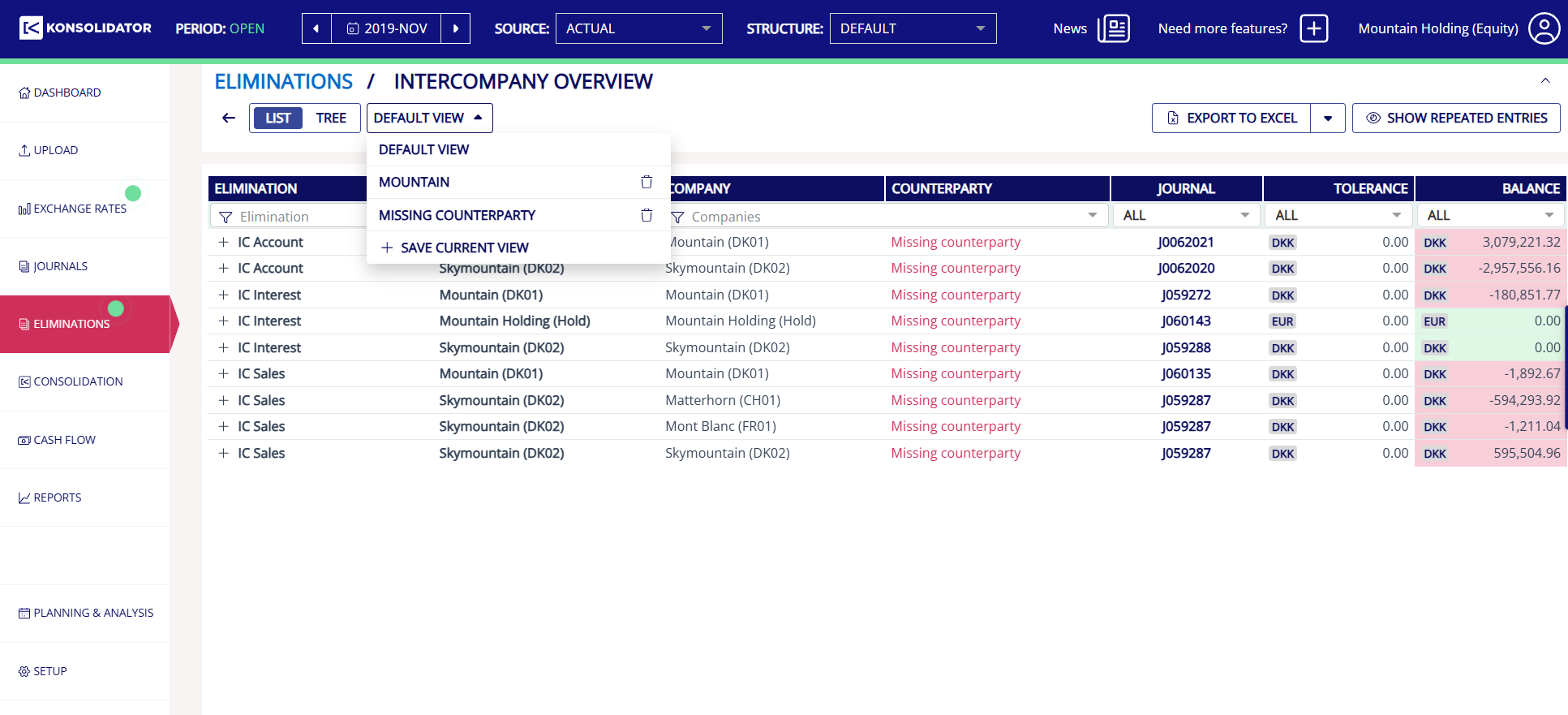 Custom view options: pick an existing saved view, delete one (bin icon), or save your current filters as a new one.
How to load a saved view
- Click on “default view” it shows the name of your current view (e.g. “missing counterparties”).
- Select the saved view you want from the list.
- Your saved filters apply immediately. No need to set them up again.
Two real examples from the same report:
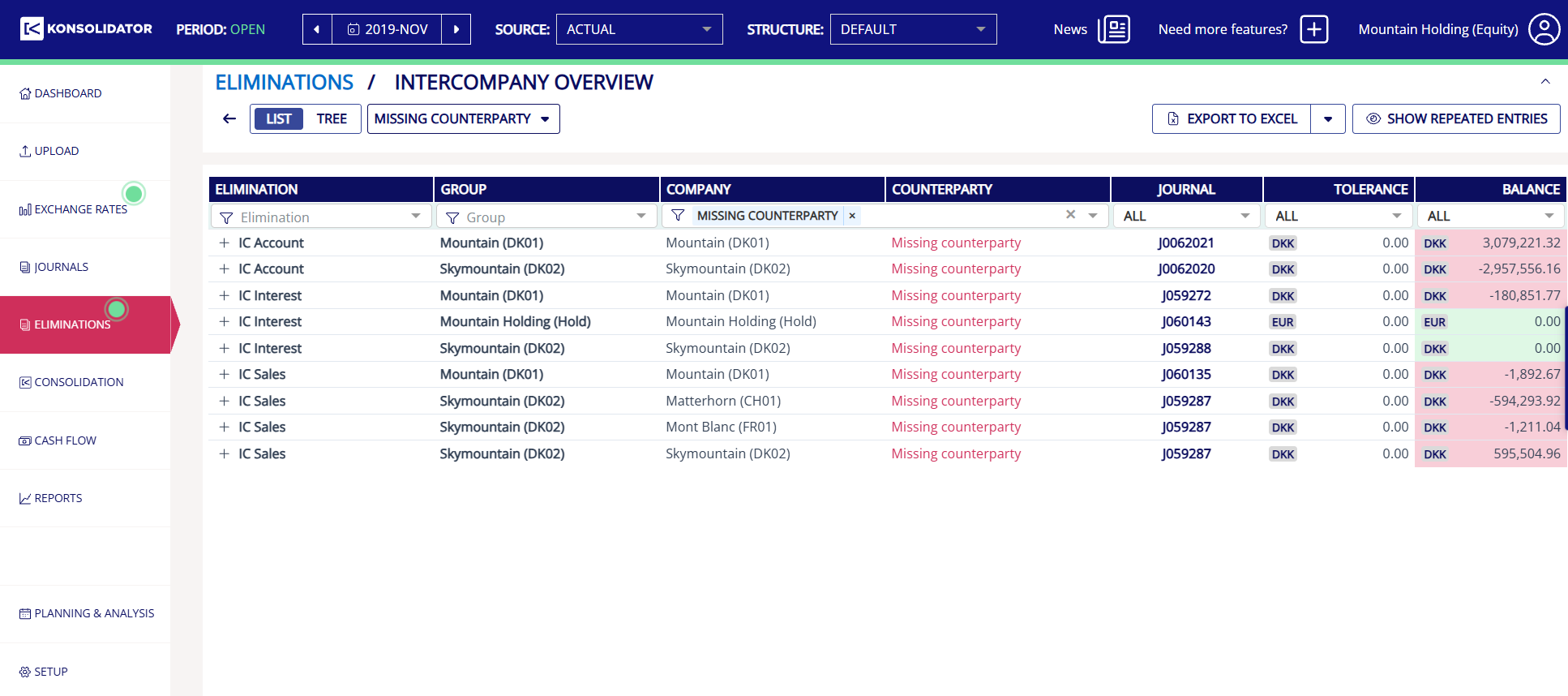 Example — a “Missing counterparty” view surfaces every elimination missing a counterparty, across all companies, in one click.
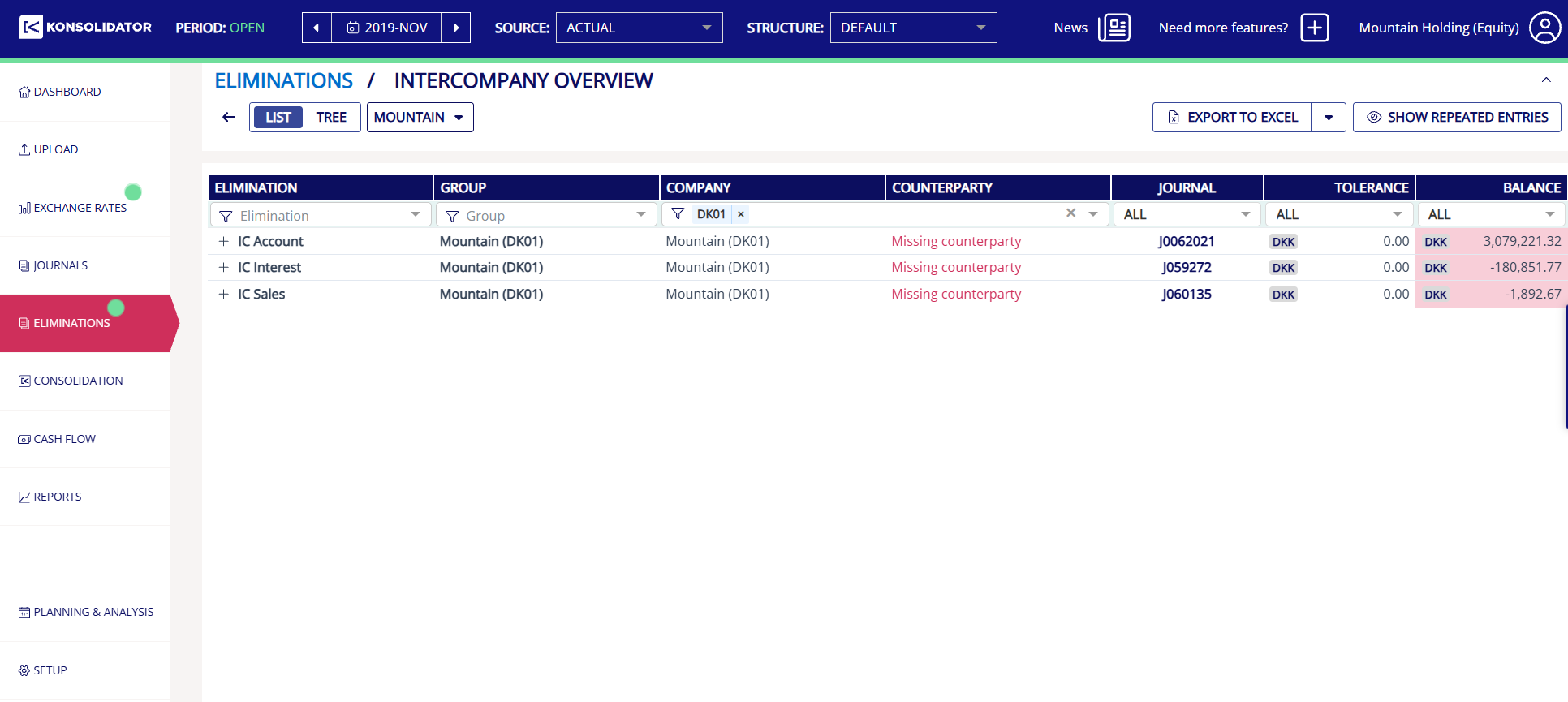 Example — a “Mountain” view filters straight down to just the Mountain (DK01) company eliminations, for anyone who only follows that entity.
When to use Custom Views
Use Custom Views when you regularly work with the same report setup. For example, if you often review an Intercompany report with the same filters, you can save the setup once and load it the next time instead of selecting each filter again.
FAQ
Can my colleagues see my saved Custom Views?
No. Custom Views are saved per user, so your saved views are only available to you.
Does saving a Custom View change the report data?
No. Custom Views only save the filter setup. They do not change report data, calculations, or underlying consolidation data.