
Below you will find a video and written guide on creating elimination types on group accounts.
In the lower-left corner, you can make changes to your group accounts, including the creation of manual eliminations.
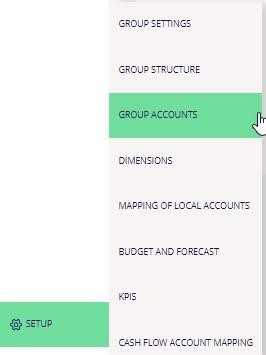
Mouse over the “Setup” button and click Group Accounts.
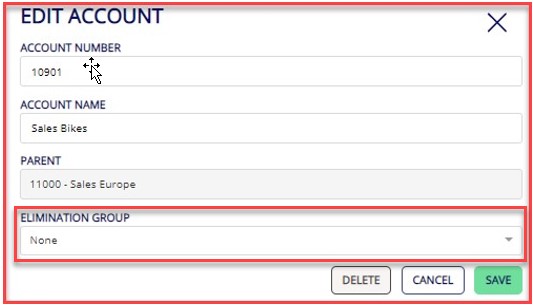
You can edit group accounts by clicking the three dots on the right side of your screen for the relevant account.
The section “Elimination Group” makes it possible to create manual eliminations between group accounts. To add a new elimination type, you write the name of the new elimination type and press enter. This new elimination type will be visible in the drop-down menu and can therefore be selected on other relevant group accounts.
All group accounts with elimination types attached will be marked with a small tick mark in the overview of your group accounts.
Next time you click on calculate and post in journals this new elimination journal type will be created. If the journal reconciles, the system will automatically post the journal. If the journal does not reconcile, the deviation within the journal will be highlighted with red on the button of the journal.
An option to minimize time spent on eliminations is to use the tolerance function to adjust minor differences automatically.
Related guide: How to setup tolerance - INDSÆT LINK