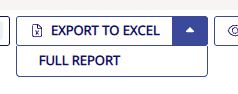
Konsolidator now lets you export only what you have filtered on in your reports view, not the entire report. This makes it faster and easier to work with the exact numbers you need in Excel, whether you need to generate custom reports for specific dimensions, tags, and reporting currencies.
Use Case
As an example, apply your filters in the Upload Report:
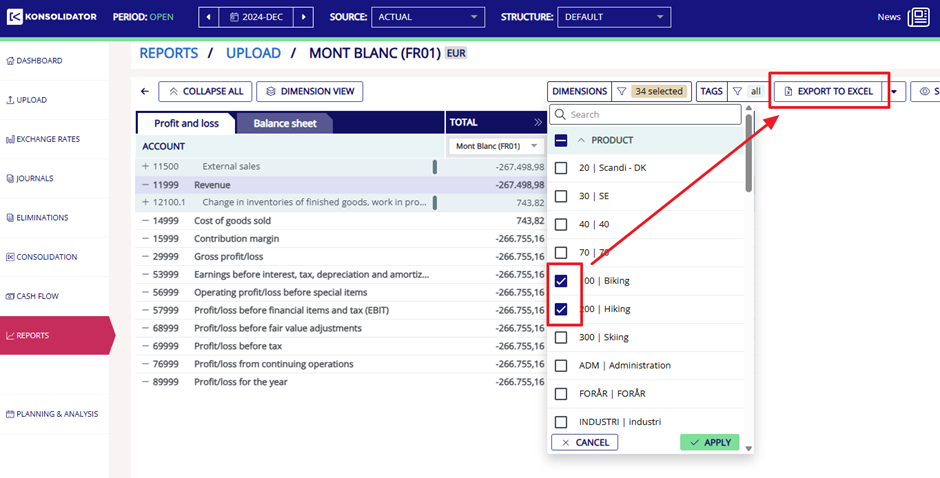
Then export.
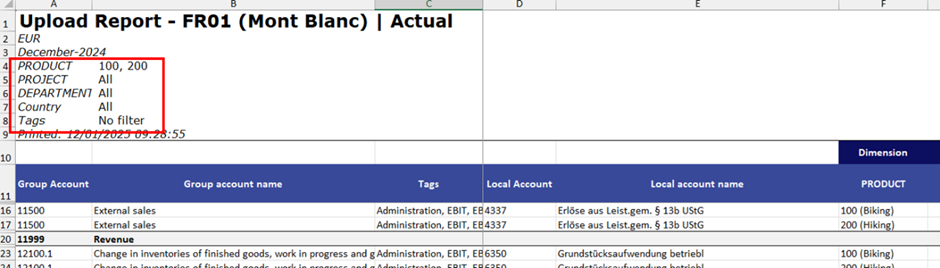
Your Excel file will show only the filtered lines and a clear summary of the filters you applied. This helps you always understand why the numbers look the way they do:
Important to note:
Some filters don’t export.
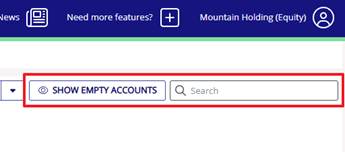
The following filters are UI‑only and will not affect the Excel export:
- Show empty accounts
- Search
You can still access the old report exports.
Click the small arrow next to the Export to Excel button to retrieve the legacy reports.
These are available for users who still depend on the old structure, although we strongly encourage using the new exports going forward.