
This guide is for you who want a quick step-by-step guide to uploading trial balances into Konsolidator. You have two options when you upload: using the Excel upload template or via your ERP integration. You can always upload multiple entities at the same time
Before you start
Make sure you have read or filled out the following depending on how you upload.
- ERP upload: Ensure that you have integrated your ERP systems. Read more here: How to set up your integration
- Excel upload: Ensure you have downloaded and filled out the Upload template for the entity/ies you want to upload for. How to use the upload template in actual
You can download the template on the upload page.
Always make sure that you are in the desired Period and using the right Source before uploading
Video guide
How to use the Excel upload file.
Step 1: Getting started
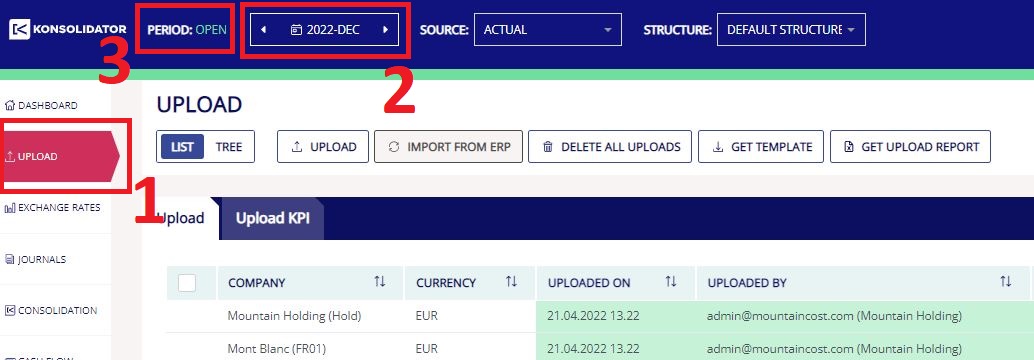
First, you need to go to the desired period that you would like to upload figures for:
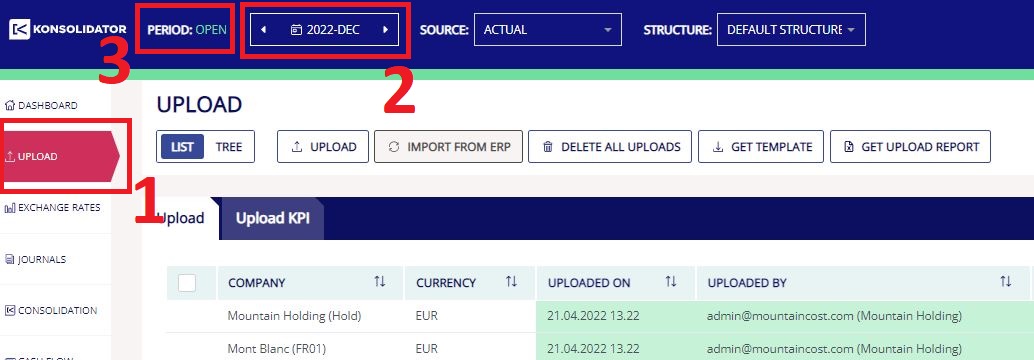
- Go to the “UPLOAD” page via the left-sided panel.
- Select the desired period you want to upload numbers, e.g., 2022-DEC.
- Ensure that it says “PERIOD: OPEN”.
Step 2: Upload
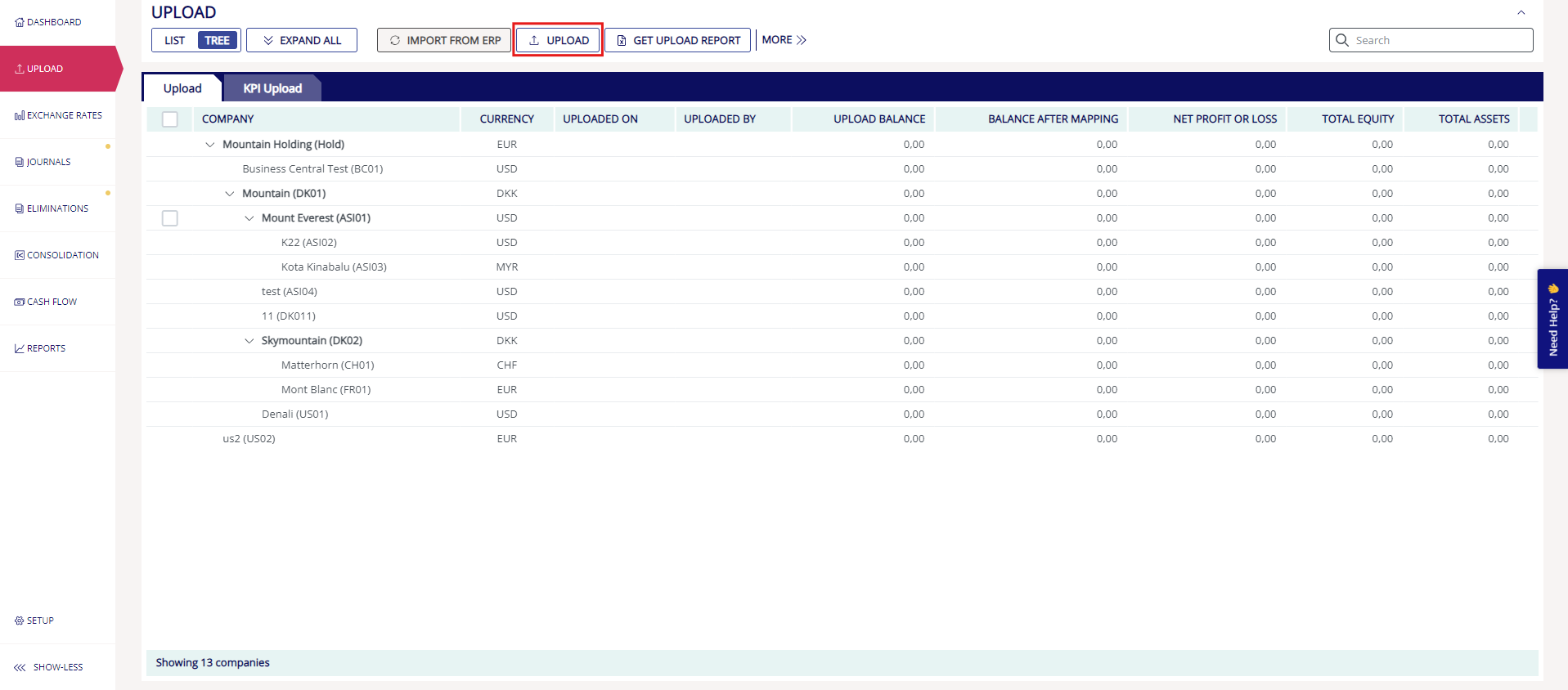
- Click on the "UPLOAD" button.
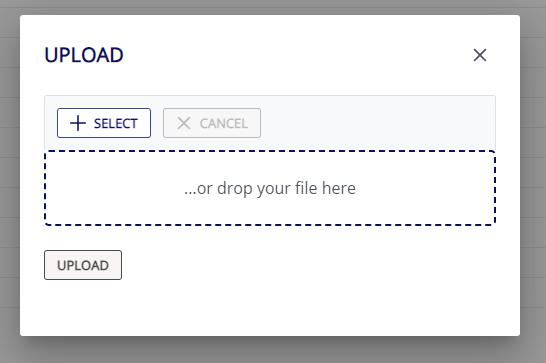
- Click "+ SELECT" in the pop-up or drop your file in the field
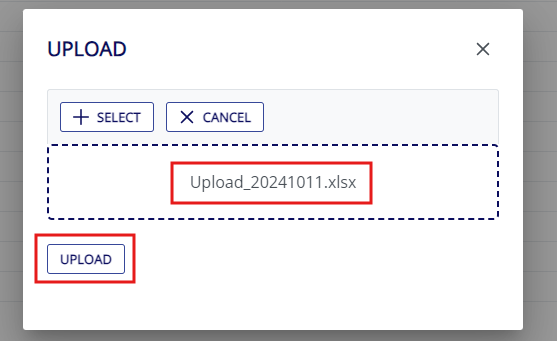
- Find the prepared upload template on your computer.
- Click Upload in the pop-up.
How to use ERP systems to upload.
STEP 1: Getting started.
- Ensure that you have integrated your ERP systems. How to set up your integration.
- Go to the “UPLOAD” page via the left-sided panel.
- Select the desired period you want to upload numbers, e.g., 2022-DEC.
- Ensure that it says “PERIOD: OPEN”.
STEP 2: Upload
- In the table select the companies that you want to upload on.
- Click on the “IMPORT FROM ERP”.
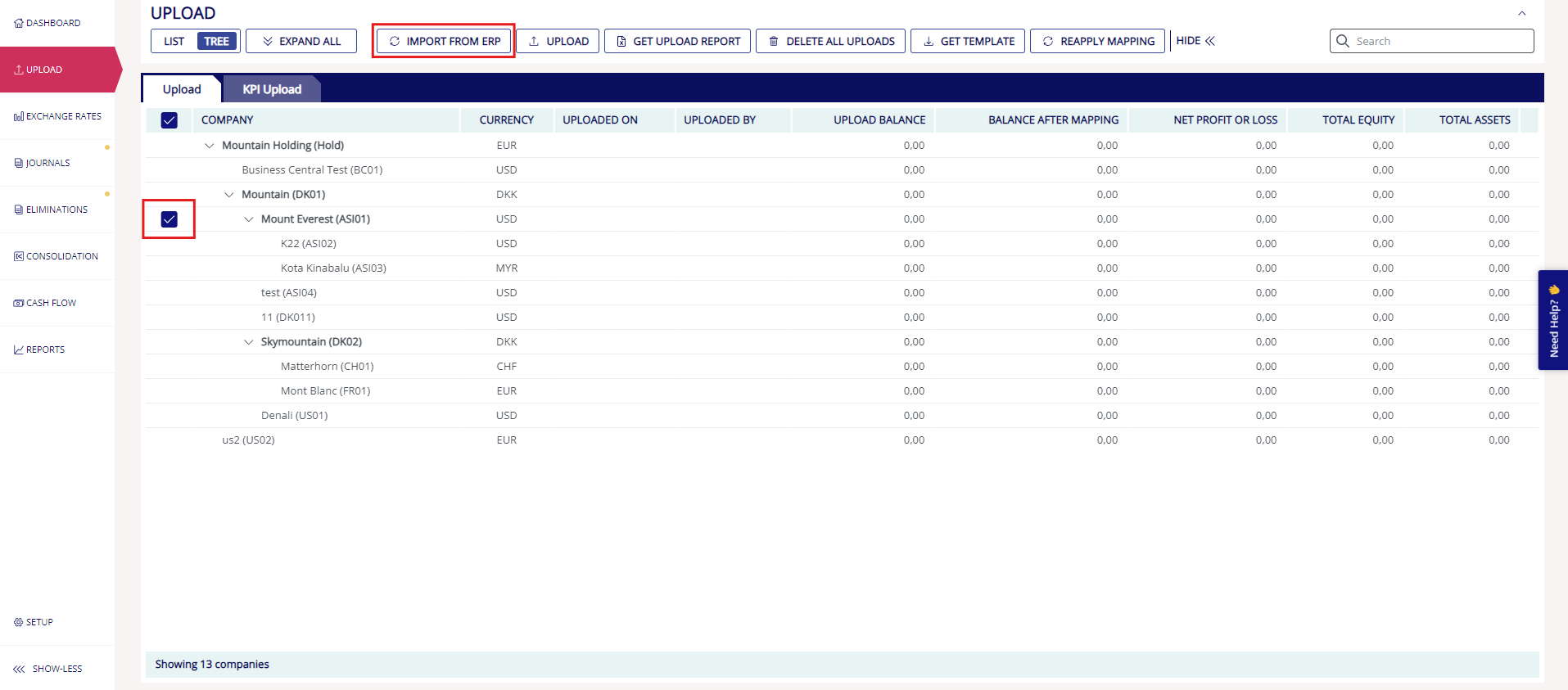
Now you have uploaded your trial balances into Konsolidator. If your upload line turns anything but green, you can read more here in the guide: Check if the first upload balances.
DELETE UPLOAD:
A new upload will overwrite the existing one. You can also delete a specific upload by clicking on the trash can at the end of the row or if you want to delete all uploads, use the “DELETE ALL UPLOADS” button.
Need Assistance?
Contact support for any questions regarding trial balance upload at support@konsolidator.com