
Below you find a introduction on how to edit your system journals.
System journals can now be edited without having to copy them. Previously all system journals needed to be copied if you wanted to adjust the system journals/calculations.
All newly created intercompany eliminations will also be marked as system journals from now on.
What can I do with the new editable system journals?
With the new release, you can easily make adjustments to system journals and:
- Adjust existing entries instead of creating new copies
- Ensure updates reflect correctly when uploading new data
- Edit in the intercompany eliminations and it will reflect correctly.
This update also improves how you work with our Intercompany module, as you no longer need to manage the correct state of your journals and worry about manual changes being overwritten.
New UI and how to
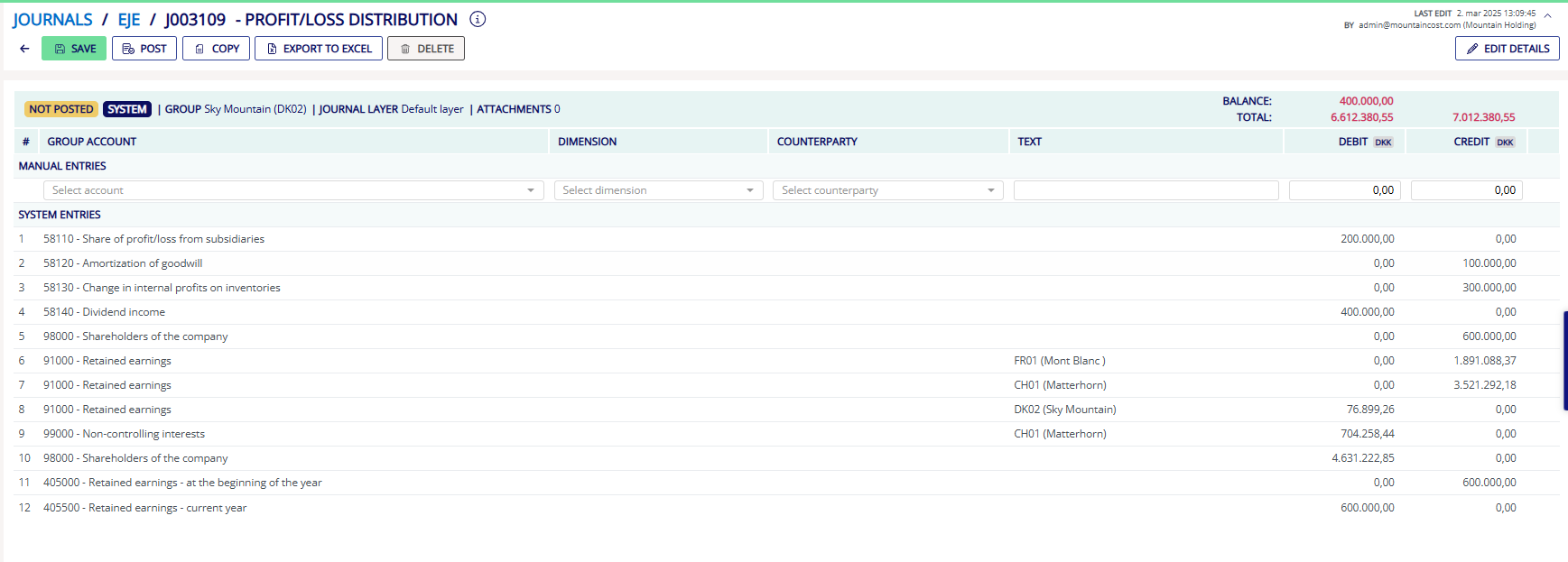
The release of editable system journals will change the all our journals and eliminations look. From now on it will be splitted up into manual entries in the top, where you can adjust numbers and system entries below. Which you wont be able to change.
We have also changed the place where you edit the description, add attachments or edit the journal name to the right corner.