
How to use journal upload template
In Konsolidator there are two ways to create journals. Either you can create them directly in the application or you can use the upload template in Excel.
When standing in the section journals it is possible to click on the “Upload” button – then a new window will open where it is possible to download the template.
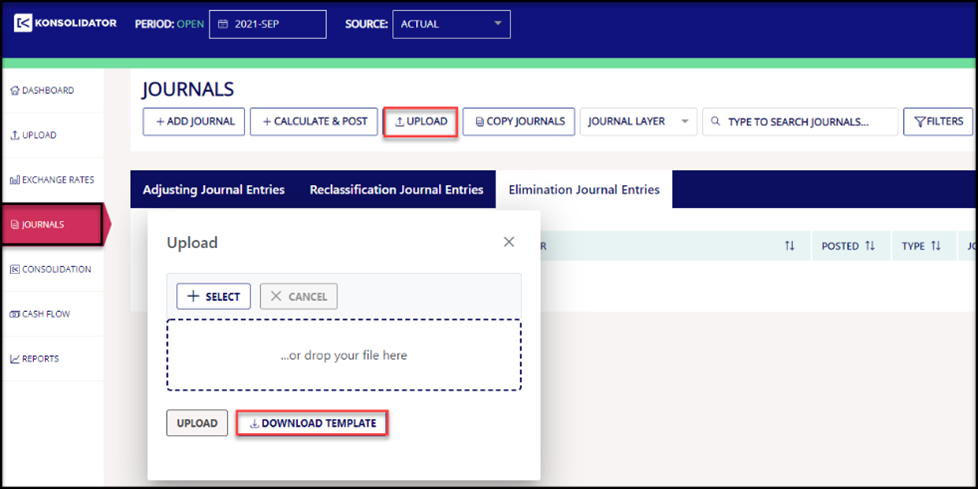
The downloaded template contains three sheets: “Template”, “Company and branch list” and “Journal layers”.
These three sheets will be described below sheet by sheet.
Template

- Company short name: This column is used for splitting the upload numbers into the relevant entities. This allows you to use the upload template for multiple entities at one time.
- Journal number: The journal number created here is decided by you but must be unique. The journal number used could for example be a combination of entity and month/year – for example Matterhorn-01-2021. The template can contain multiple journals at the same time. Each journal needs to have individual journal numbers
- Journal header: Is decided by the creator and should be explanatory and relevant in relation to the content of the journal
- Journal type /AJE/RJE/EJE): On the entity level, it is possible to use AJE and RJE. At the subgroup/group level it is possible to use all three kinds of journal types. The differences between these three journal types are described earlier in this guide
- Group Account: It is possible to adjust all group accounts that are not sum accounts
- Dimension: It is possible to book adjustments on all dimensions created in Konsolidator
- Text: It is possible to add a text if relevant. This text could for example an internal note for when this journal is relevant
- Amount: The amount will be in the local currency for the selected entity. Debit is positive and credit is negative
- Branch: If adjusting a branch the company short name of the entity that owns the branch will be inserted into the company short name and the name of the branch will be inserted into the column “Branch”
- Journal layer: Can be used for layers of information. Created journal layers within your group can be identified in the sheet journal layers.
Company and branch list
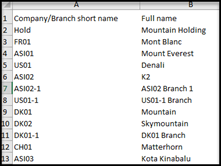
The sheet “Company and branch list” reflect all companies and branches in Konsolidator at the point in time the upload template is downloaded. The template is not generic. We use the information from this sheet to fill in Coloum A – Company short name and column I – Branch in the sheet template.
Journal layers
Please watch/read a separate article on journal layers by using the link below
Journal layers